
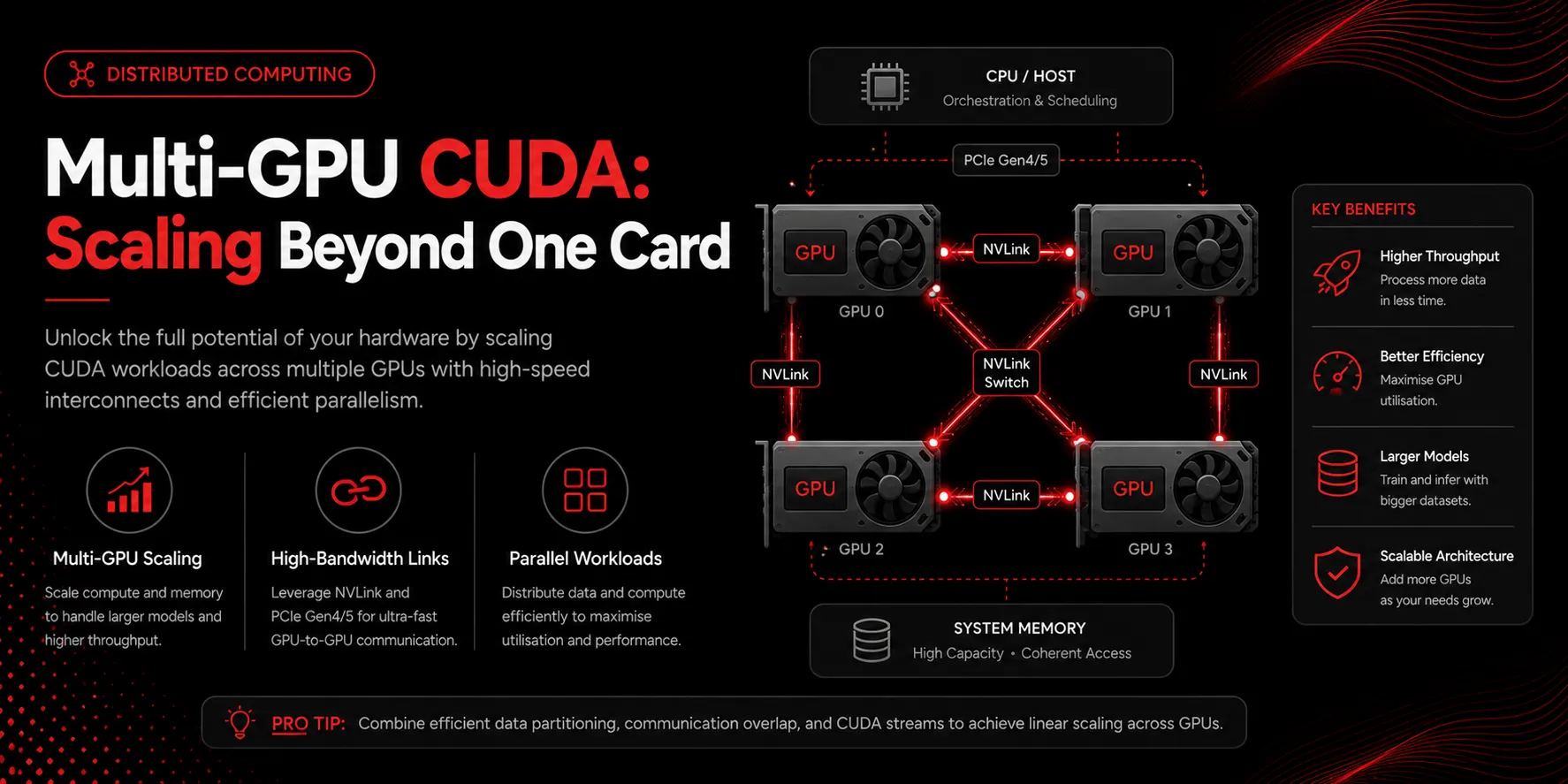
One GPU is often not enough, but two GPUs rarely give exactly double the performance. Understanding why is the key to scaling CUDA workloads efficiently.
Pick the right kind of parallelism
Data parallelism keeps a copy of the model on each GPU and gives each a slice of the batch. It is simple and works well when the model fits in a single GPU’s memory. Model parallelism splits the model itself across GPUs and is necessary only when a model is too large to fit on one card. Most teams should reach for data parallelism first.
Communication is the real cost
When GPUs cooperate, they must exchange gradients or activations. That traffic travels over PCIe or, much faster, over NVLink. On systems like the GB200 NVL72, high-bandwidth links let dozens of GPUs behave almost like one. On commodity servers, PCIe bandwidth is frequently the ceiling on scaling.
Use NCCL for collectives
The NVIDIA Collective Communications Library implements operations such as all-reduce that are tuned for GPU topology. Rolling your own synchronization almost always performs worse. Let NCCL discover the fastest path between devices.
Watch scaling efficiency
Measure speedup, not GPU count. If four GPUs give 3.2x throughput, that is 80 percent scaling efficiency, which is healthy. If they give 2x, communication is dominating and you should reduce sync frequency, increase batch size per GPU, or upgrade the interconnect.
Overlap compute and communication
Modern frameworks can start sending early-layer gradients while later layers are still computing. Enabling this overlap hides much of the communication cost behind useful work.
Key takeaways
- Prefer data parallelism until the model no longer fits on one GPU
- Interconnect bandwidth, not compute, usually limits scaling
- Use NCCL collectives rather than custom synchronization
- Track scaling efficiency, not raw GPU count
- Overlap gradient communication with computation